
Squishy Tower controls
R6 jumps, camera reads, optional shift lock, and audio as a timing tool.
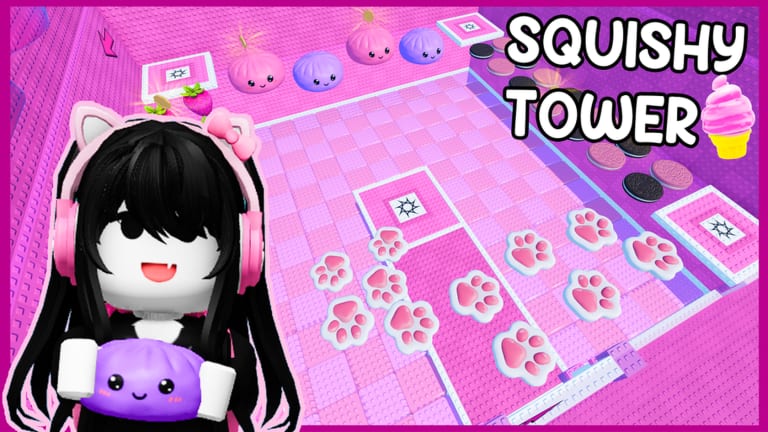
Squishy Tower uses Roblox’s standard movement with one important local rule: your avatar morphs to R6. There is no published custom keybind sheet, no unique grappling hook, and no documented double-jump. If a video overlay shows extra hotkeys, it is almost certainly a client plugin or a different game. This page covers PC, mobile, and console jump and camera habits, what Roblox shift lock actually does here, why sound is part of control, and how R6 changes the climb you think you already know.
Read this after Getting Started if spawn already felt shorter than your usual Roblox parkour. Pair it with How to Beat when the problem is a hidden brick rather than an input. The rest of the climb articles sit on the Guides Hub.
R6 movement, not R15 parkour
Aru Games morphs everyone to R6. Classic R6 has a compact jump arc, a visible hip line, and no fancy R15 climb animations to hide a bad landing. That is good for a squishy tower: you can see when your legs have entered a Needoh-like sink pad. It is bad if you play like an R15 speedrun and expect hang time.
Jump once per pad unless you are correcting a short landing. Mashing jump on a sinking surface often pops you sideways into a kill brick. Walk a step to center yourself before the jump so the pad has more of your collision. Strafe in short taps; holding a direction while a pad compresses will slide you off the cute mesh into whatever is waiting underneath.
PC
On keyboard and mouse, movement is WASD, jump is Space, and the camera is right-mouse drag or first-person toggle with the usual Roblox keys. Zoom out far enough to see the underside of a squishy before you step, then zoom in if a dumpling’s depth is hard to read. Third person is the default for this tower because kill bricks hide under props.
Sprint is whatever Roblox is doing on your account; Squishy Tower has not published a unique sprint modifier. If you feel faster than other players, check whether you enabled a client speed option you should not be using. For a fair climb, walk more than you sprint on new floors. Speed makes sink pads and hidden bricks less readable.
Shift lock
Roblox shift lock is a client setting (the Shift Lock Switch in Roblox settings), not a Squishy Tower power. The game does not document a custom lock-on. Some climbers enable it so the camera stays glued while they jump between keycaps. Others leave it off because a locked yaw fights the way a sinking pad drops your camera with the mesh.
Try both on a low floor. If shift lock makes you over-rotate into a brick under a paw pad, turn it off. If unlocked camera drift is why you miss dumpling centers, turn it on. Do not treat someone else’s overlay as a required setting. There is no badge for playing locked.
Mobile
On touch, you get the on-screen thumbstick, the jump button, and camera drag. Thumbstick drift is the silent killer on cheese and butter floors, where a slight forward hold walks you off a slab. Rest your thumb so the stick returns to neutral after every landing. Jump with a separate thumb; do not slide from stick to jump in one motion that also pushes you forward off a bun.
Pinch zoom until you can see the pad you will land on and the pad after it. Mobile field of view hides undersides more than PC, which is exactly where kill bricks live. If a floor is loud with hamburger clutter, rotate the camera along the edge instead of trusting the default over-the-shoulder view. Sit or stand so your jump thumb is not covering the next platform.
Console
Gamepad uses the left stick to move, the face button Roblox binds to jump (A on Xbox, Cross on PlayStation), and the right stick for camera. Trigger-sprint, if your Roblox client maps one, has the same warning as PC: Squishy Tower is not a documented speed game. Camera on a stick is good for sweeping under squishies. Make that a habit at the start of every new theme, not only after a death.
Deadzone matters. If a tiny stick input walks you during a sink, raise the deadzone in Roblox or in your controller software. Console players also share 50-person servers; another avatar standing on your dumpling is not a co-op boost, it is extra visual noise. Jump your own line.
Sound is a control
ASMR is the design, not a soundtrack you can mute without cost. A pad that squishes, a keycap that clacks, and a sink that keeps compressing are timing cues. Headphones beat laptop speakers because you need the difference between a clean landing and a surface that is still eating your legs. Lower voice chat if the lobby is talking over the mix.
uwucutesingle’s favorite ASMR squishies are the obvious example, but the same rule applies on paws, strawberries, and butter. If you play silent, you are controlling an R6 body with half the information. That is why Getting Started puts volume before coins, and why checkpoints matter: a missed audio cue should cost a save, not a full tower.
What these inputs are for
Good control in Squishy Tower is readable landings. You are trying to see undersides, hear compression, and jump from the center of a themed mesh. That is how you survive the confirmed floors and how you farm coins later without diving at Coins and Blind Boxes like they are a required boss. Rank nasty camera floors on the floor tier list, tick them on the floor checklist, and keep the parent tier list hub for the overview.
There are still no public promo codes as of September 2026, so no control trick involves a code box. Codes and how to redeem wait for a real drop. Hard mode does not add a published extra button; it asks for cleaner use of the same jump. Track finishes on wins and badges inside the players hub. Patch notes that might change binds would appear on updates and the launch recap; none have replaced R6 as of the 7 July 2026 update. Official pointers stay on the links hub. Extra utilities live in tools. If a video promises a one-key win, that is scripts territory — read script safety and then use your hands instead.
Frequently Asked Questions
Quick answers to the most common Squishy Tower questions.
Does Squishy Tower have unique keybinds?
No published custom binds. Use Roblox defaults: move, jump, camera. Anything extra on a YouTube overlay is probably a client add-on or a different game. See Getting Started for the first-session setup.
Should I enable shift lock?
Only if it helps you. Shift lock is a Roblox client switch, not a Squishy Tower feature. Try it on paw pads. If it yanks you into kill bricks, leave it off.
Why does jump height feel low?
The game morphs you to R6. Expect a classic arc, not R15 hang time. Wait on sink pads, then jump from the center. How to Beat covers those pads in context.
Do I have to play with sound?
You can mute, but you are throwing away the ASMR timing the floors are built around. Volume is a control. It is also why the creator showcase in Getting Started is worth headphones.
Is there a co-op control scheme or split-screen?
No. Public servers hold up to 50 independent climbers. Your jump button does not share a win. Track your own clears on wins.